Text-to-speech Chrome extension
Private text-to-speech for webpages, with Pro PDFs
Free reads webpages aloud in Chrome with synchronized highlighting and Kokoro AI voices included free. Pro adds PDF extraction, resume, custom highlights, 3x speed, adjustable section pauses, floating controls, and a pop-out player window.
Product preview
See the reader before you install
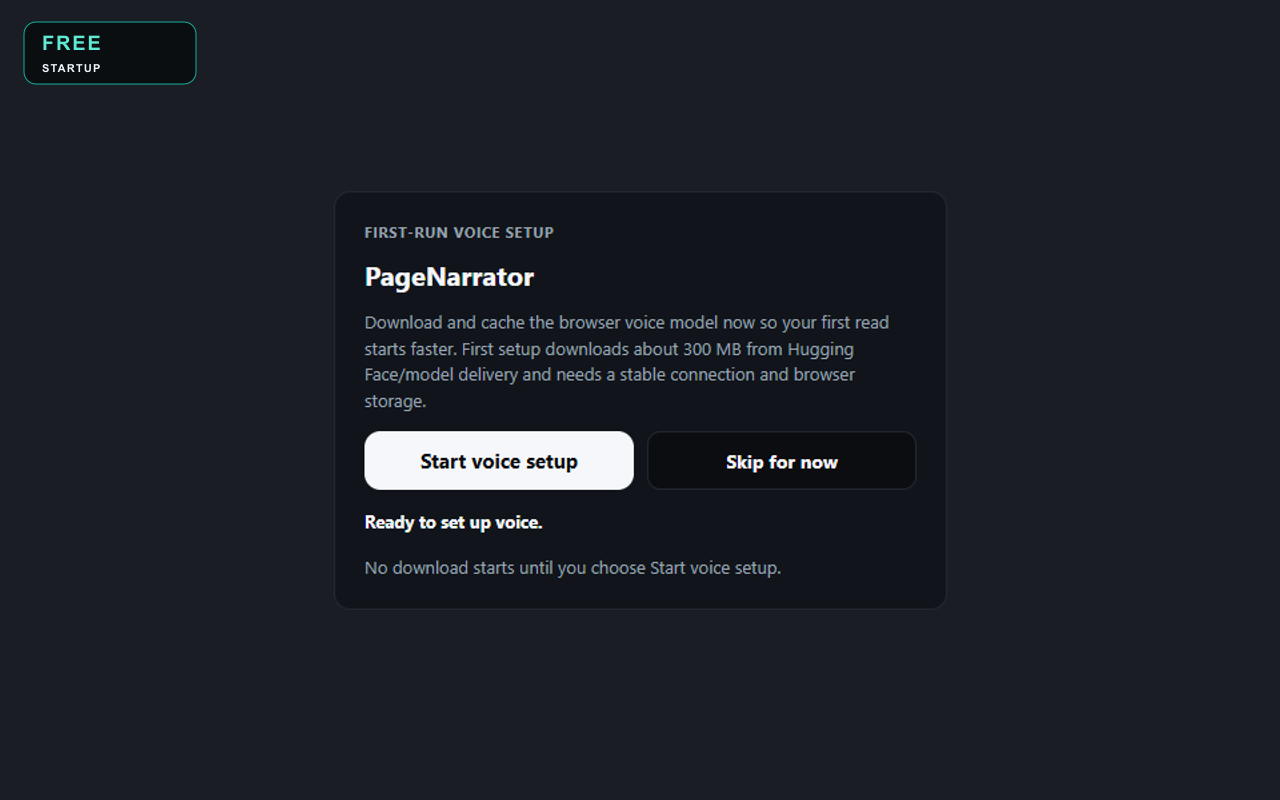
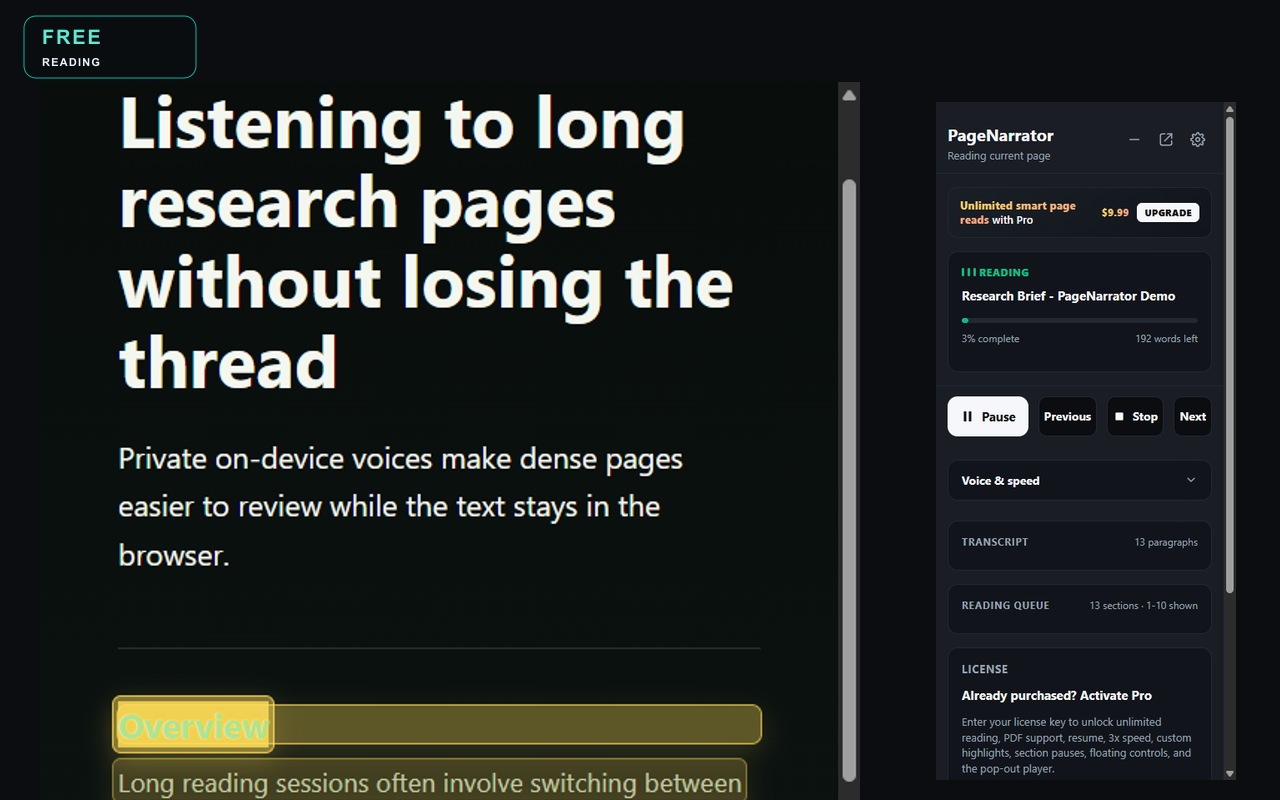
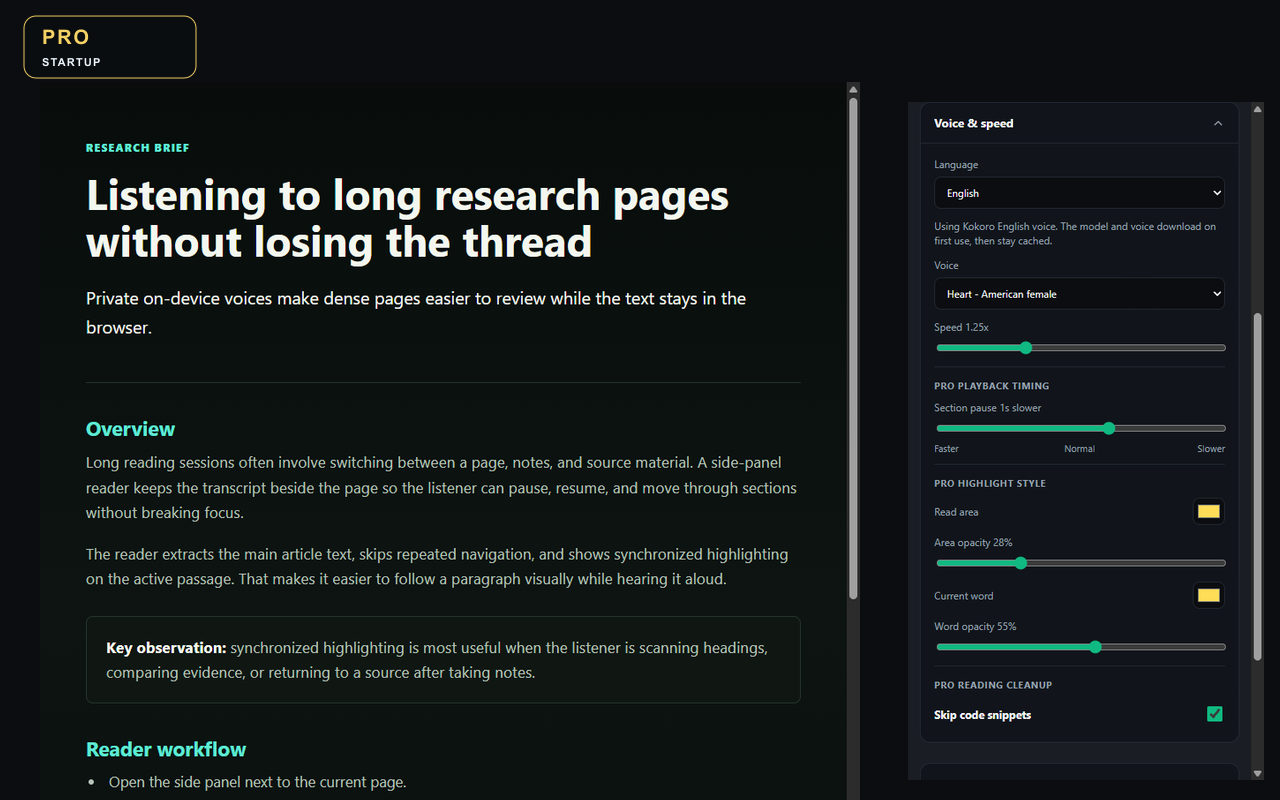
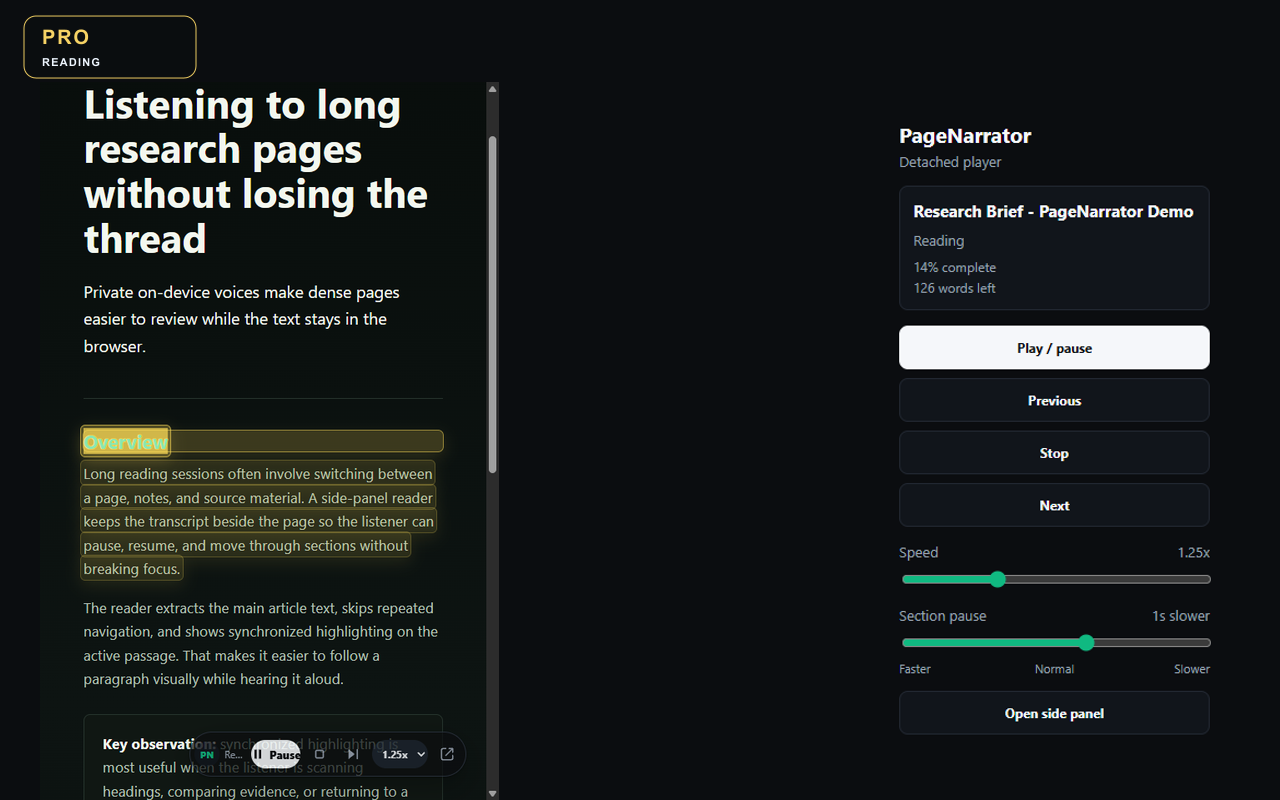
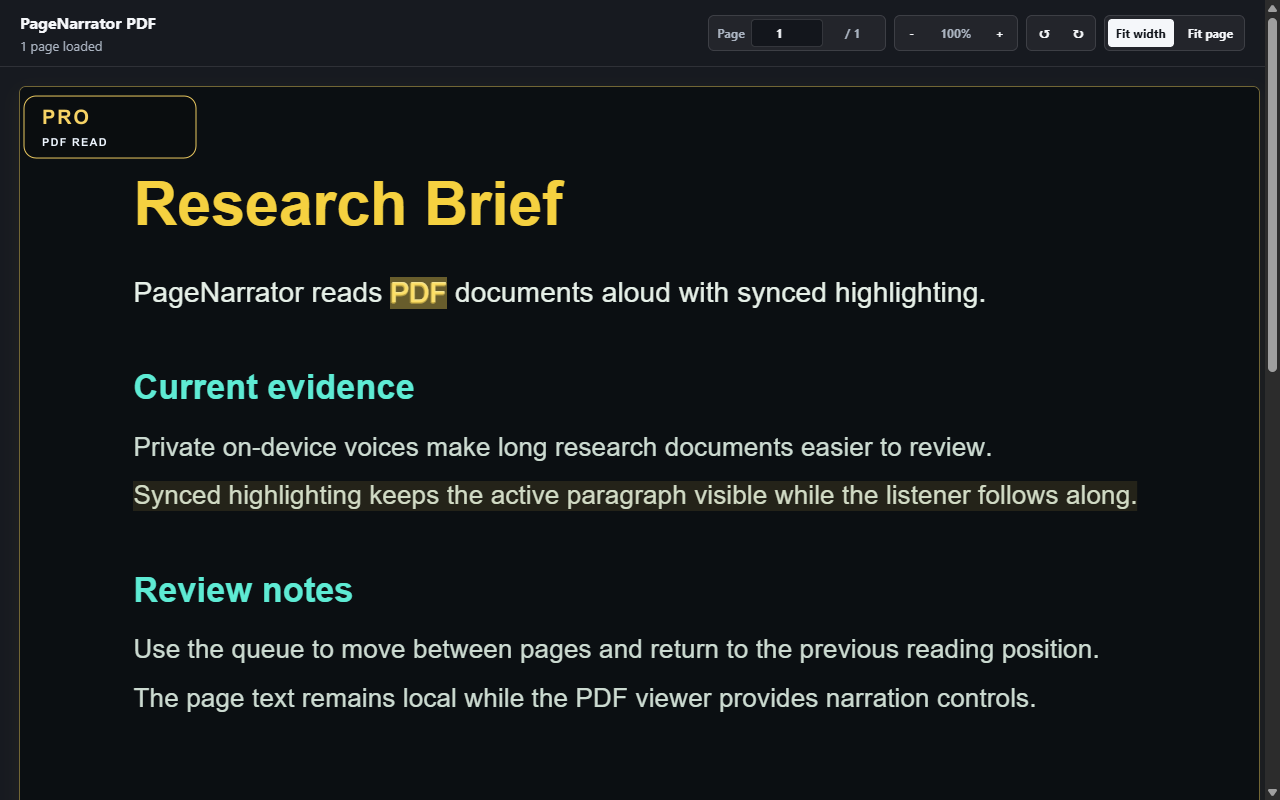
PageNarrator is built around real reading workflows: first-run voice setup, the Free side-panel reader for webpages, Pro controls for license-only reading features, floating controls while the side panel is minimized, and a pop-out player window for long sessions.
Why PageNarrator
A focused reader for webpages, PDFs, and private listening
On-device privacy
AI voices run on-device. Extraction and narration run in the browser. Model files download from Hugging Face, and PDFs may be fetched from their original URL; PageNarrator does not send reading content, URLs, or history to PageNarrator servers.
Clean article extraction
PageNarrator identifies readable content, skips page clutter, and builds a transcript you can navigate by section while audio plays.
PDF read aloud
Pro includes PDF extraction and a PDF viewer with synchronized highlighting, so research papers and long reports are easier to follow.
Floating controls and pop-out player
Pro remembers reading position, unlocks custom highlight styling, 3x speed, and adjustable section pauses, shows floating controls while the side panel is minimized, and adds a pop-out player window for long-form sessions.
No monthly subscription
The launch Pro license is a one-time lifetime deal for current Pro features and future Pro updates.
Free daily reads
Start with 5 smart page reads per day plus unlimited selected-text reading, then upgrade when the workflow proves useful.
Free vs Pro
Start free, unlock the full on-device reader when you need it
| Feature | Free | Pro |
|---|---|---|
| Selected text reading | Unlimited | Unlimited |
| Smart page reads | 5/day | Unlimited |
| On-device AI voice | Yes | Yes |
| PDF extraction and viewer | Pro only | Yes |
| Floating controls and pop-out player | No | Yes |
| Resume reading position | No | Yes |
| Custom highlights and 3x speed | No | Yes |
| Adjustable section pauses | No | Up to 5 seconds |
| License/device sync | Local per-browser use | Up to 5 personal Pro activations |
How privacy works
Local reading content, lightweight license checks
- PageNarrator extracts readable text in your browser.
- AI voices run on-device.
- Model files download from Hugging Face, and PDFs may be fetched from their original URL.
- PageNarrator does not send reading content, URLs, or history to PageNarrator servers.
- Only license checks contact PageNarrator with a generated device identifier; the server stores only a SHA-256 hash.
Launch Lifetime Deal
One payment while the founder price is live
Use the free extension first. Upgrade when you want unlimited smart reads, PDF viewer support, resume position, custom highlights, 3x speed, adjustable section pauses, floating controls, the pop-out player window, and up to 5 personal devices.
Secure checkout is handled by Paddle. Refund requests follow Paddle's Refund Policy and any mandatory consumer rights.
PageNarrator Pro
- Unlimited smart page reads
- Same on-device Kokoro AI voice catalog as Free
- Full PDF extraction and viewer
- Custom highlights, 3x speed, section pauses, floating controls, pop-out player, and resume
- Up to 5 personal devices
- Future Pro updates included
License key delivered by email after secure Paddle checkout.
FAQ
Common questions before installing
Does PageNarrator send my reading content to the cloud?
No. Extraction and narration run in the browser. Model files download from Hugging Face, and PDFs may be fetched from their original URL; PageNarrator does not send reading content, URLs, or history to PageNarrator servers. AI voices run on-device.
Can PageNarrator read PDFs aloud?
Yes. PageNarrator Pro includes PDF extraction and a PDF viewer with synchronized highlighting.
Is PageNarrator a subscription?
No. PageNarrator Pro is sold as a one-time launch lifetime license for current Pro features and future Pro updates.
Why does setup download a voice model?
PageNarrator downloads the AI voice model once for Kokoro voice use and caches it in your browser. The Kokoro model is about 300 MB and model files download from Hugging Face. AI voices run on-device. Minimum requirements are Chromium 120+, 500 MB of free browser storage, and 4 GB RAM; 8 GB RAM and WebGPU-capable graphics are recommended for smoother AI voices. Without WebGPU, PageNarrator uses CPU/WASM mode and synthesis can be slower.
Which browsers are supported?
PageNarrator is compatible with Google Chrome™ and other Chromium-based desktop browsers version 120 or newer.
What if Pro is not right for me?
Use the links in your Paddle receipt or visit the Refund Policy for the Paddle refund request paths and statutory rights summary.